Audiobook Creator Studio
Read your book aloud and turn it into an audiobook. Audiobook Creator Studio shows your text on a calm reading screen, records your voice, helps you fix mistakes and exports a finished audiobook, all on your own computer.
Available for Windows from the Microsoft Store. Free to make a real audiobook; Pro is a one-time purchase, with a 7-day free trial.
How it works
- 1. Bring in your book. Open an EPUB, PDF, Word or HTML file, or a plain-text file (for example a Project Gutenberg .txt), or paste the text. Chapters such as CHAPTER I and CHAPTER II are found for you.
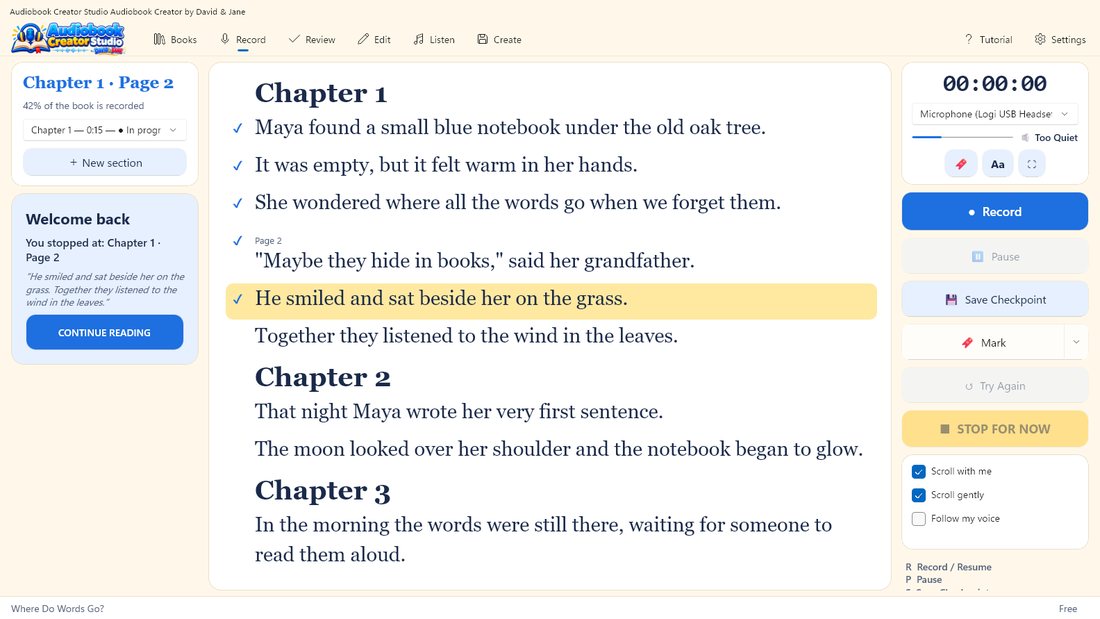
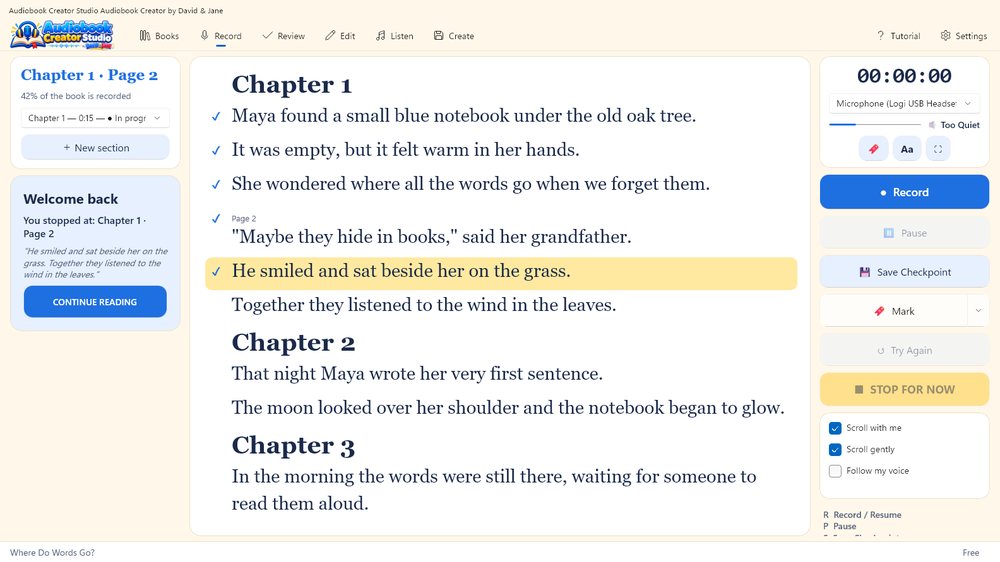
- 2. Read it aloud. The current sentence is highlighted and the book scrolls gently. Press R to record, P to pause, M to mark a place and T to try a sentence again. With Pro, the highlight can follow your voice by itself.
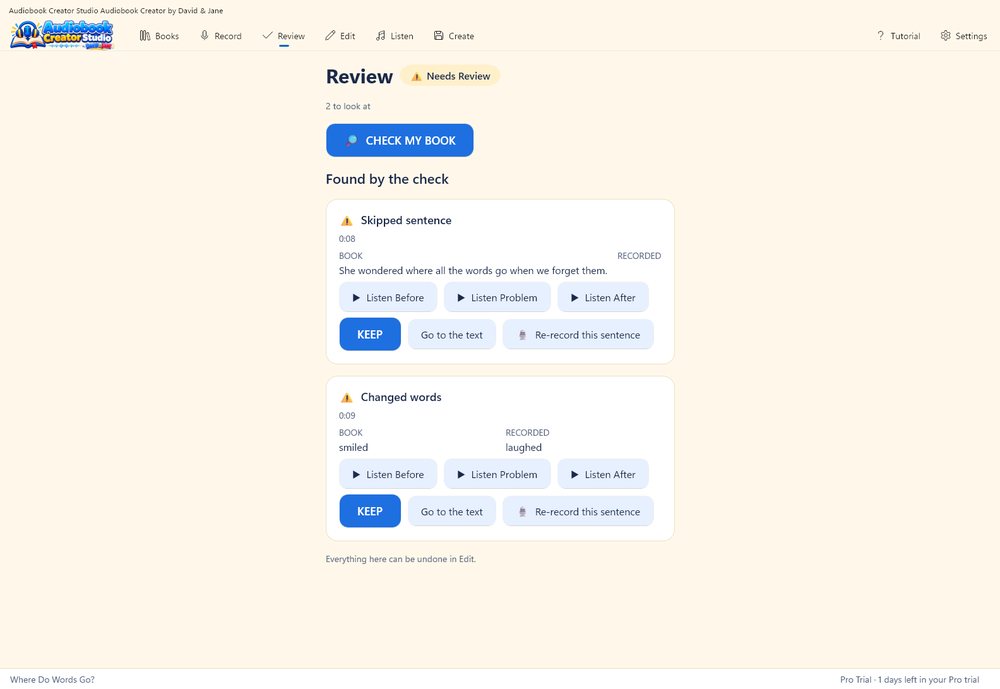
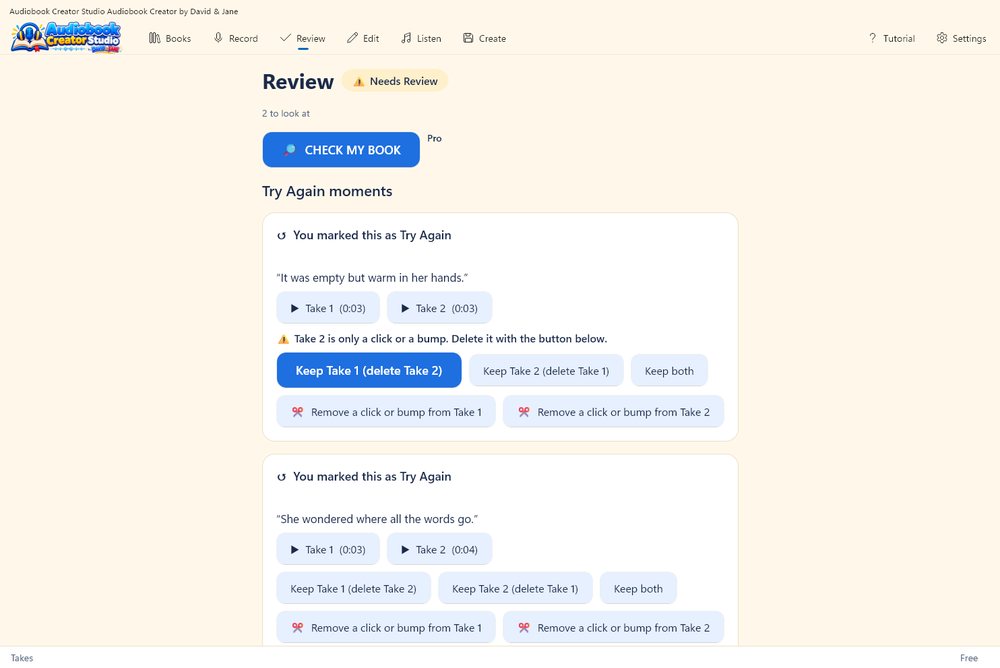
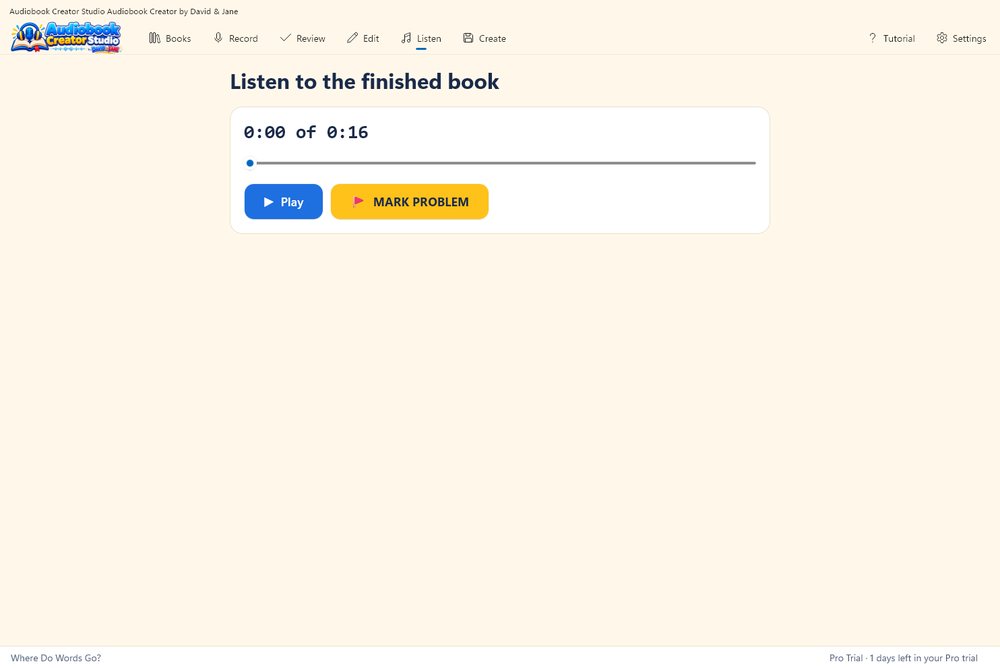
- 3. Review your takes. Listen to each take, keep the one you like, take out a click or a bump, or re-record a single sentence so it takes exactly the old one’s place (Pro).
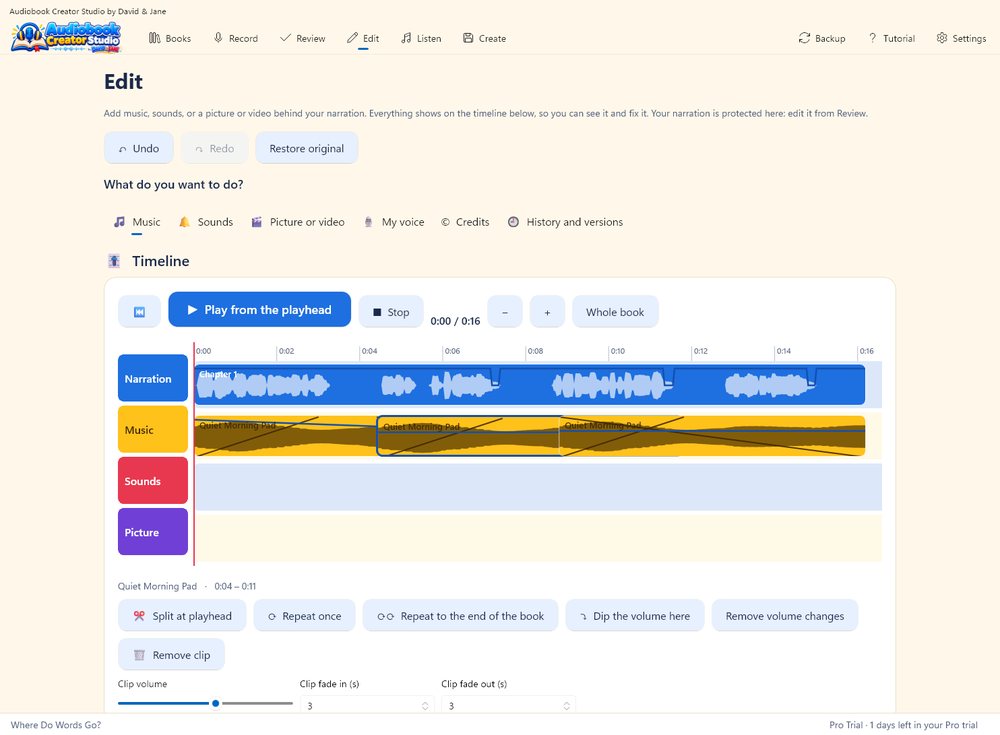
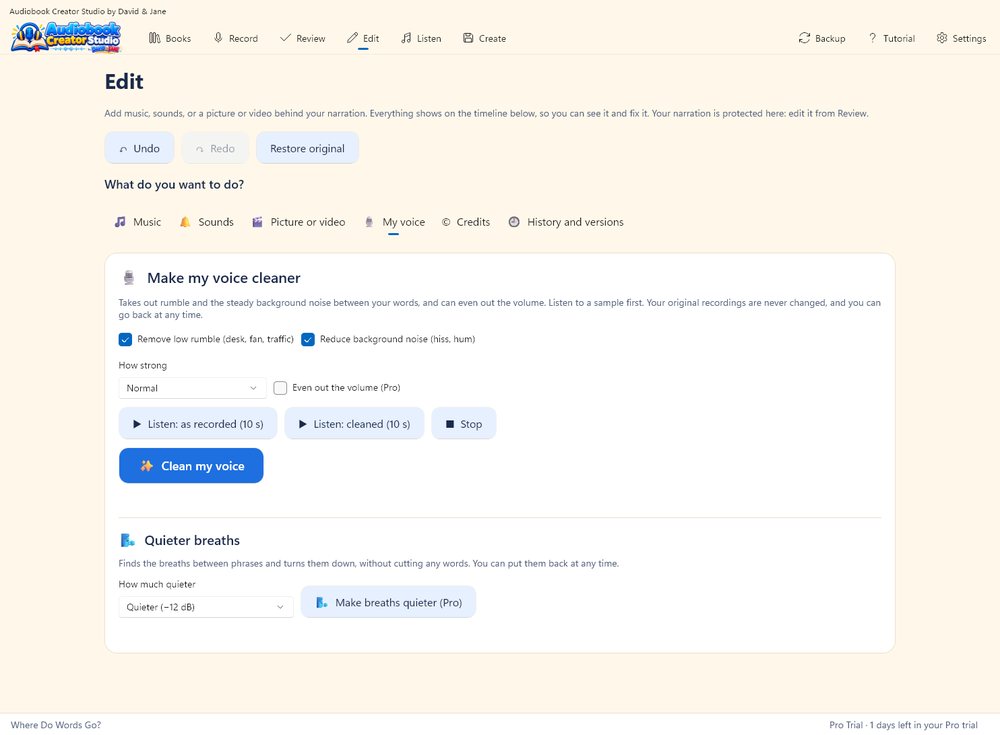
- 4. Polish it. Make your voice cleaner, add background music and sound effects on their own lanes, and let the music lower itself under your voice (Pro).
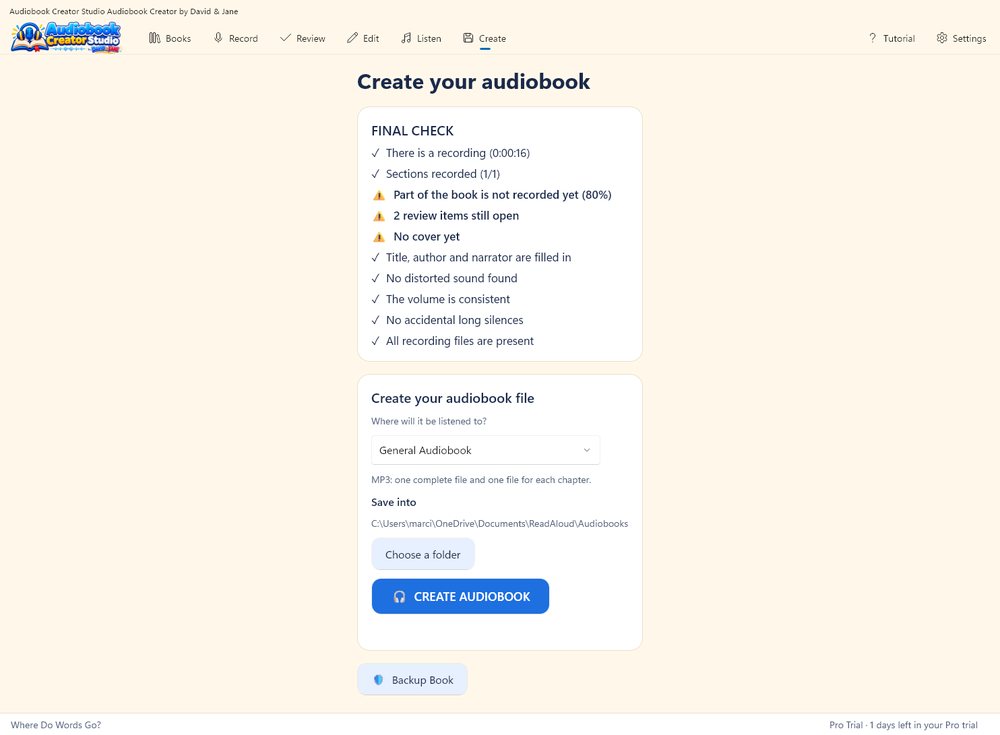
- 5. Create the audiobook. Export MP3 or WAV, one complete audiobook and/or one file per chapter, with your title, author, narrator and cover inside. Pro adds M4B and AAC with chapter markers, and a video for YouTube.
What you get
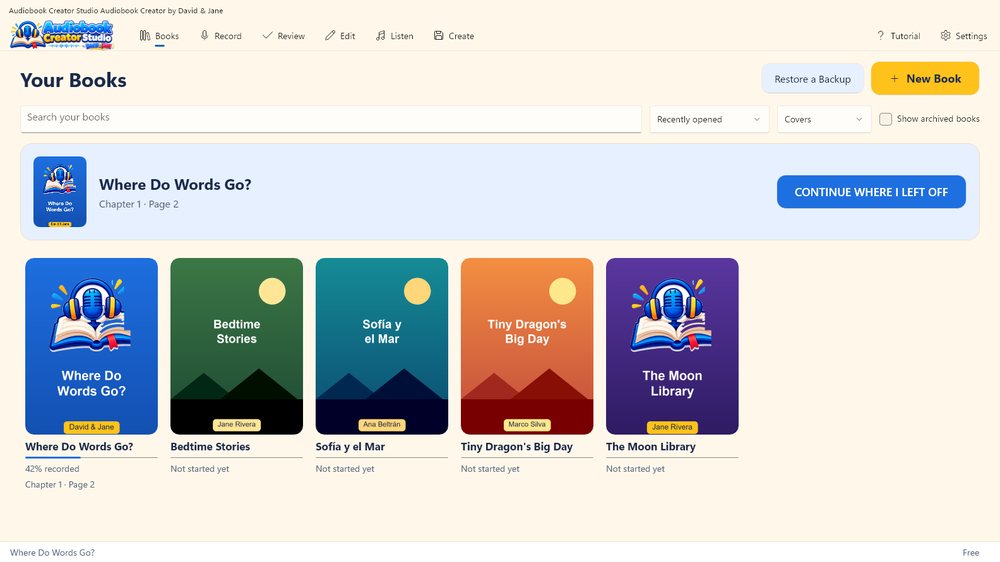
- A visual library of your books, with covers, progress and “Continue where I left off”.
- Safe by design. Your original recordings are never changed, every edit can be undone, your work is saved automatically, and a recording is offered back if the computer shuts down in the middle of it.
- Check My Book (Pro). Listens to your recording on your computer, reads along with your book and points to the exact sentence that was skipped, changed or said twice. It also finds long silences, loud noises and uneven volume.
- Cleaner voice. Take out rumble and background noise, even out the volume and make breaths quieter, with a before and after listen.
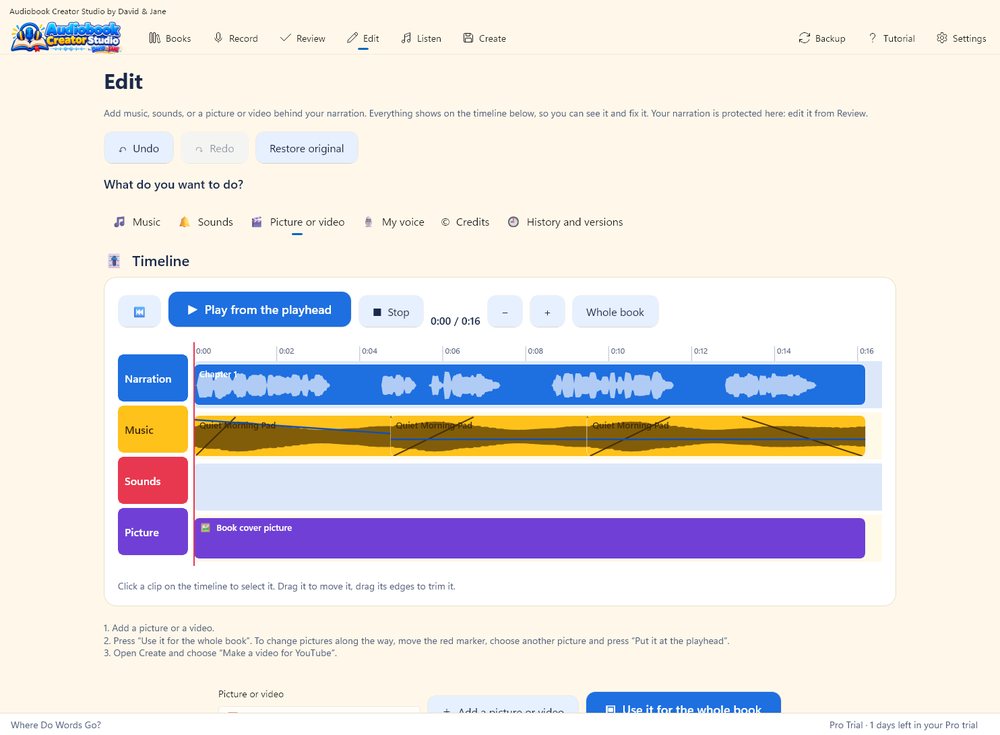
- Music like video editing. Drag and trim clips on a timeline, set fades and volume, repeat a short track to the end of the book, and copy the music credits into your book description.
- A video for YouTube (Pro). Put a picture or a video behind your narration, from the first word to the last (a short video repeats until the end), and save an MP4. Your book cover is used if you add nothing. A text file with the chapter times comes with it, ready for the YouTube description.
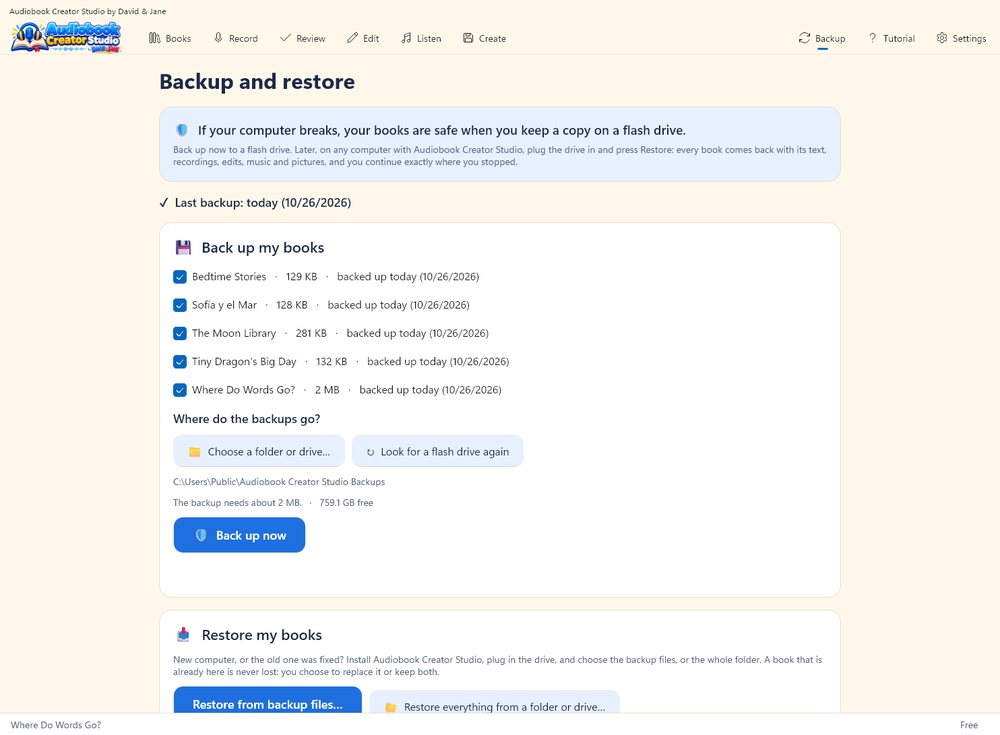
- Backup and restore. Copy all your books to a flash drive in one click. Every copy is read back to prove it is complete. If your computer breaks, install the program on another one and restore: every book comes back with its recordings and edits.
- Tutorial inside the app, in English, Spanish and Portuguese. The language of the app and the language of your book are separate choices.
- Private and offline. No account, no ads and no tracking. See the Audiobook Creator Studio privacy policy.
Free and Pro
| Free | Pro | |
|---|---|---|
| Book library, import from EPUB, PDF, Word, HTML and text | Included | Included |
| Read and record on screen, pause, bookmarks and Try Again | Included | Included |
| Review takes, remove a click or a bump | Included | Included |
| Editing with undo, background music and sound effects | Included | Included |
| Voice cleanup: rumble and background noise | Included | Included |
| Export MP3 and WAV, backup, recovery | Included | Included |
| Check My Book: finds skipped, changed and repeated sentences | — | Included |
| Re-record one sentence in place | — | Included |
| Highlight that follows your voice | — | Included |
| Fill the whole book with music, and music that lowers under your voice | — | Included |
| Even out the volume and quieter breaths | — | Included |
| M4B and AAC audiobooks, chapter markers in MP3 | — | Included |
| A video for YouTube: a picture or video behind the narration, saved as MP4 | — | Included |
Free has no watermark, no time limit and no account. Pro is a one-time purchase, with no subscription, and you can try everything free for 7 days.
Many audiobook and voice tools charge every month and keep your files on their servers. Audiobook Creator Studio is the opposite: your books, recordings and voice stay on your own computer, and Pro is a single purchase that never expires. Nobody rents you your own work.
Watch the video
A 45-second tour of Audiobook Creator Studio: read your book, record it, fix mistakes, add music, and make an audiobook or a video for YouTube. In English, with subtitles.
Screenshots
Questions and answers
Do I need an account or an internet connection?
No. Audiobook Creator Studio works offline and has no account. The speech tools that listen to your recording run on your computer, so your voice is never sent anywhere.
Which files can I bring in?
EPUB, PDF, Word (.docx), HTML and plain text, or you can paste the text. PDF and Word files that break every line are tidied up on the way in.
Which languages does it speak?
The app, the tutorial and the speech tools work in English, Spanish and Portuguese. Your book can be in any of them.
What happens to my recordings if the computer shuts down?
Audiobook Creator Studio saves as you go and offers to recover the recording the next time you open it. Your original recordings are never changed.
Can I make a video for YouTube?
Yes. On the Edit screen add a picture or a video and use it for the whole book, then on the Create screen choose “Make a video for YouTube”. You get an MP4 (720p or 1080p). A short video is repeated until the end of the book. It is a Pro tool, and you can try it free for 7 days.
What if my computer breaks?
Open Backup, plug in a flash drive and press Back up now. Each book is copied and read back to prove it is complete. On a new computer, install the program, plug in the drive and press Restore: your books come back with their recordings, edits, music and pictures, so you continue where you stopped.
How do I delete a book?
Open the book’s menu in the library and choose Delete. The book goes to the Windows Recycle Bin, so you can restore it.
Support
More from David & Jane
My First Piano helps children and families play their first songs on a real piano, and My First Music Book is its companion book.